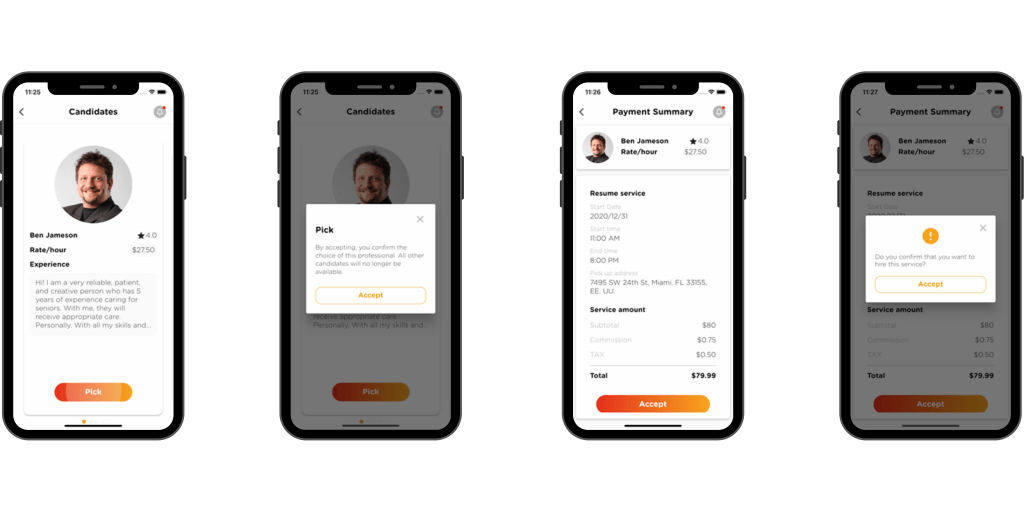
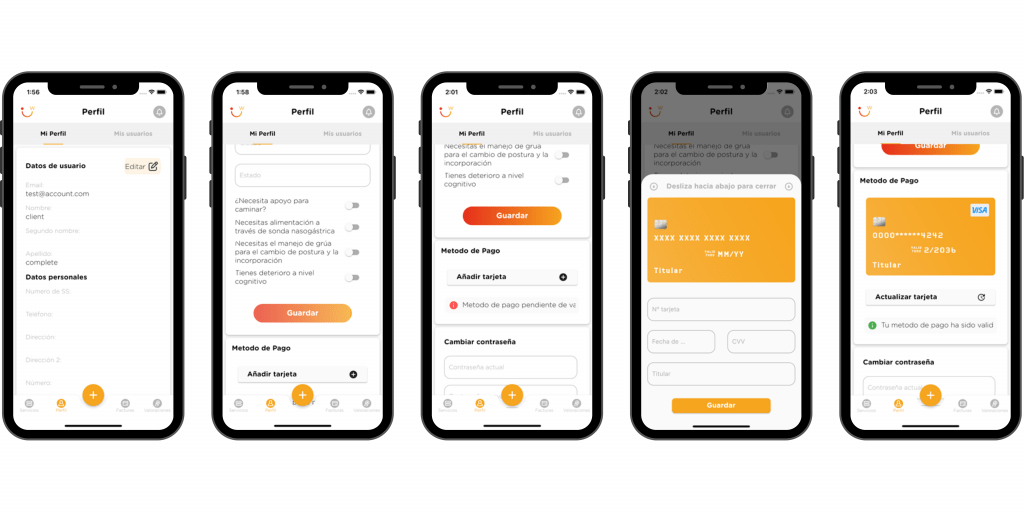
At the moment in which the request for a specific service is confirmed, a block is made on the credit card of the total amount of the service.
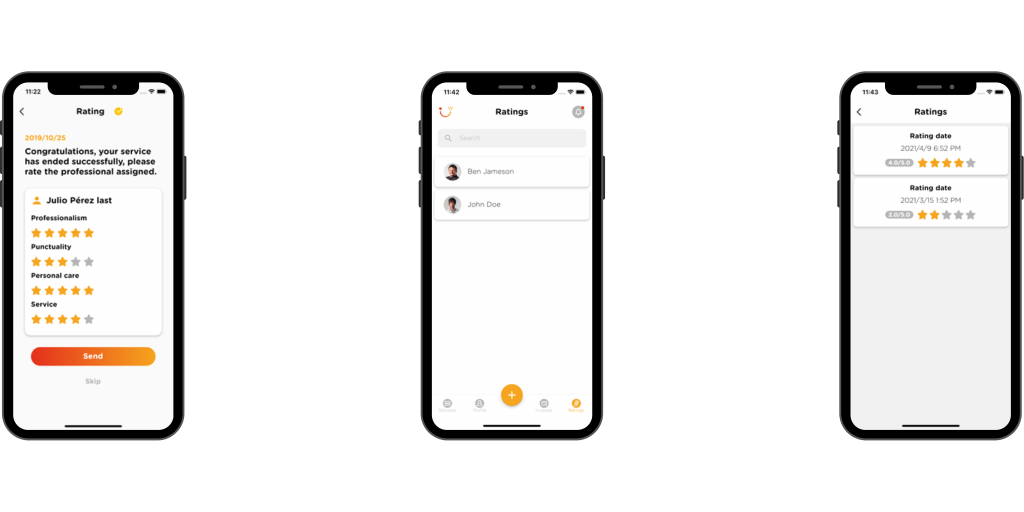
When the service ends, the total amount of the service is charged to the credit card.
Payments for continued services
At the moment in which the request for a continued service is confirmed, a credit card is blocked for the total amount of the first shift of the service.
For subsequent shifts, a block is made on the credit card, 24 hours before the start of the shift.
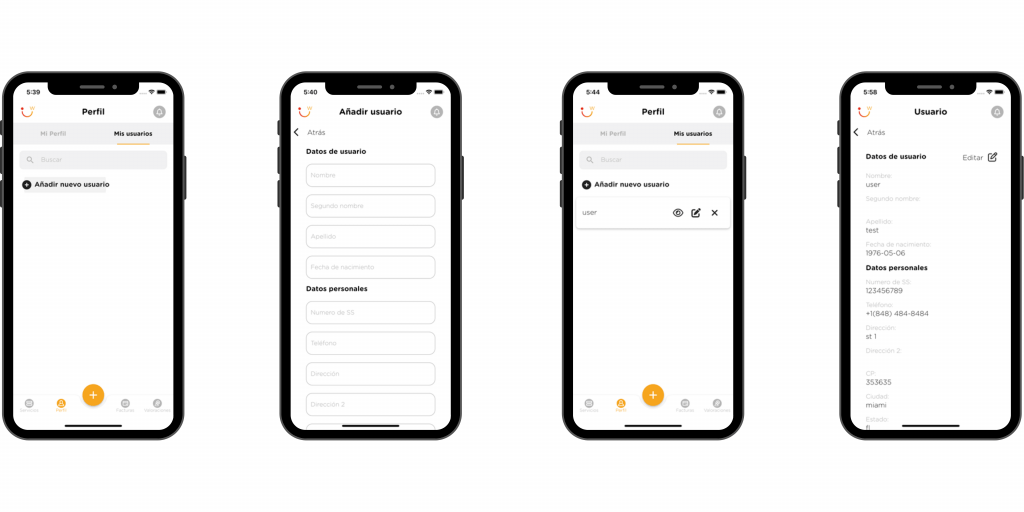
Services can be requested for oneself or for other people. In case you want to request a service for other people, you have the option to create as many users as you need and request services for each of them.
Click on “Profile” in the toolbar navigation at the bottom of the screen. Select the service you are interested in and enter its details.
Click on “My Users”.
Click on the “Add new user” button and fill in the form with the user’s data.
You can edit or delete your users whenever you need to. In addition, you can filter your list by the name of the users.
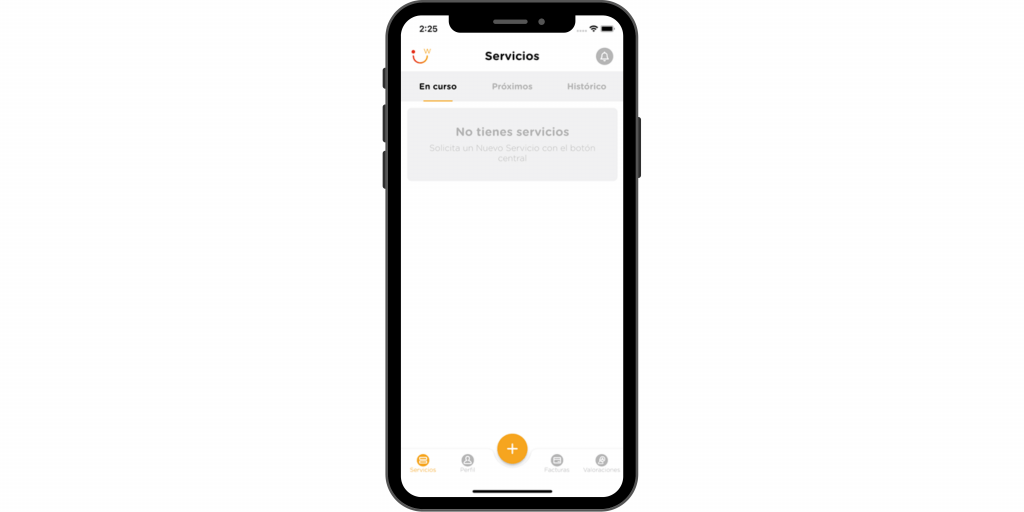
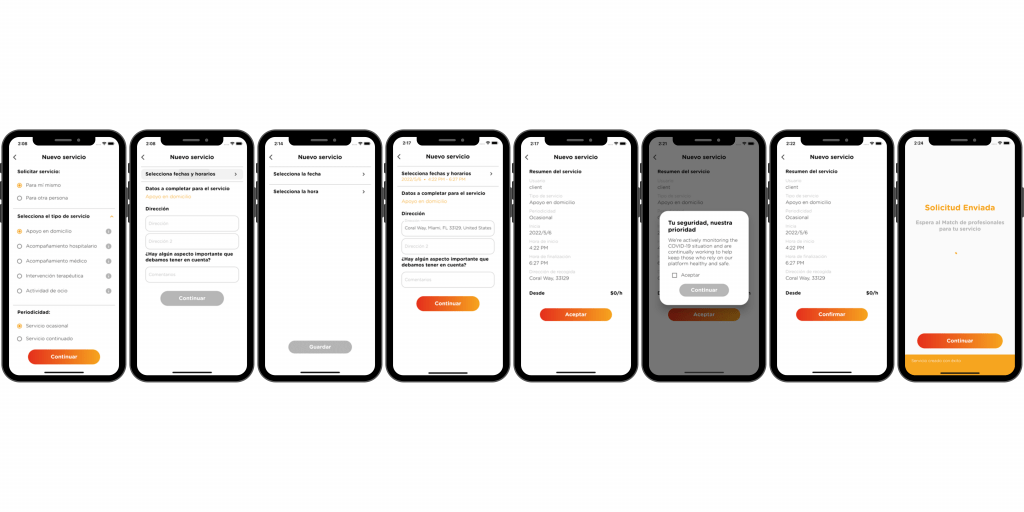
You can request a service by pressing the central “+” button:
Choose who the service is for: for you or for someone else. If it’s for someone else, choose the user or add a new user.
Select the type of service you need.
Indicates whether it is a one-off service (for one day) or a continuous service (a service that is repeated over several days.
Select the date and time of the service or services.
Indicates the address of the service.
Next, you will see the summary of the service you have requested. If the information is correct, click “OK”. If you want to correct any data, go back to the previous screens and make the necessary changes.
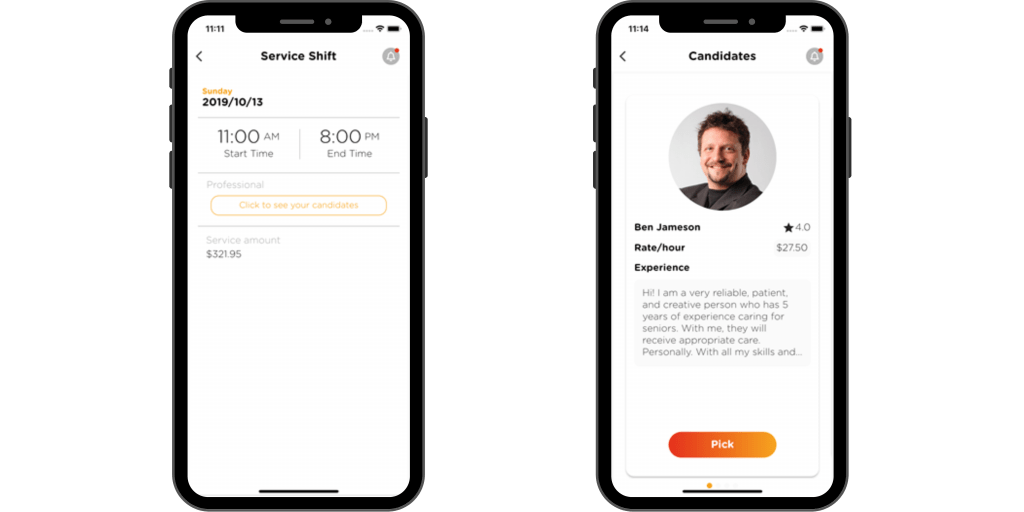
You will receive a notification when there are professionals interested in your service.